Editing an Eventbrite-Synced Event (Best Practice)
Events pulled in automatically from Eventbrite can be edited directly in WordPress
Events pulled in automatically from Eventbrite can technically be edited directly in WordPress, but this isn’t the recommended approach.
Why edit on Eventbrite instead
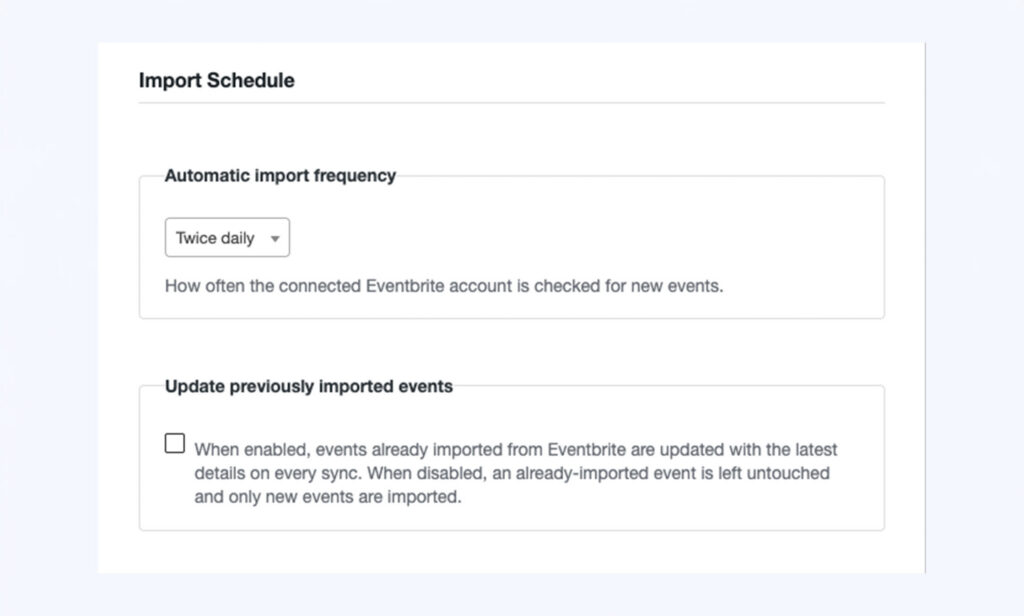
Because these events are updated automatically by the CRON sync, any changes made directly in WordPress can be overwritten the next time the sync runs, unless the automatic update for that event has been switched off.
Recommended approach
- Go to Eventbrite directly and make your change there (date, description, ticket details, and so on).
- Allow the scheduled sync to pick up the change automatically, or trigger it manually if you need it to appear sooner (see the separate guide on manually updating events).
If you do need to edit directly in WordPress
There is a control on the event to stop it being overwritten by future automatic updates. This should be used if you specifically want a WordPress-only change to stick – otherwise the next sync may replace it.
Careful: If you edit a synced event directly in WordPress without switching off automatic updates, expect your change to potentially be overwritten next time the CRON runs.
Conversation
Leave a Reply
You must be logged in to post a comment.
Thanks for the feedback. Let us know what was missing and we will improve this page.
Thank you for your feedback.