Categories
Manually Triggering the Eventbrite Sync
Events normally arrive from Eventbrite automatically, but can be triggered manually
Events normally arrive from Eventbrite automatically via a scheduled CRON job, but there’s a manual override if you need an update to appear sooner than the next scheduled run.
When to use this
- You’ve just published or changed an event on Eventbrite and don’t want to wait for the next automatic run.
- You suspect a sync didn’t run correctly and want to force it again.
Steps
- Go to the Events settings/sync area in the WordPress admin menu.
- Find the manual sync/override control.
- Trigger it, and wait for the process to complete – this may take a few minutes depending on how many events are being pulled.
- Check the Events list afterwards to confirm your change has come through.
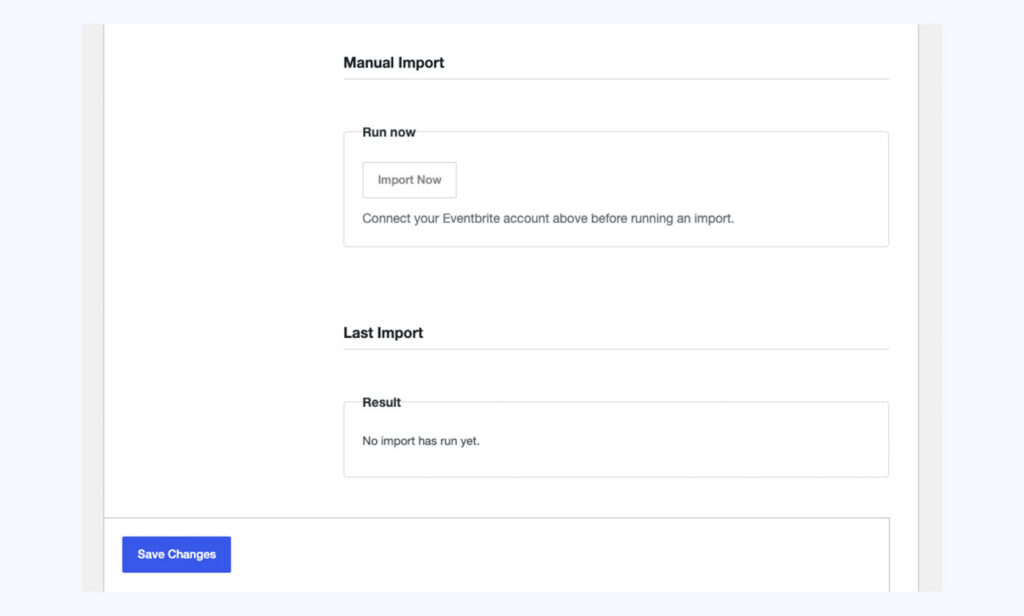
Careful: Running the manual sync will also re-pull any other pending changes from Eventbrite at the same time, not just the one you’re interested in – bear this in mind if someone else edited a synced event directly in WordPress.
Conversation
Leave a Reply
You must be logged in to post a comment.
Have you found this useful?
Yes: 0
0
Thanks for the feedback. Let us know what was missing and we will improve this page.
Thank you for your feedback.