Reviewing a Pending Submission (Side-by-Side Comparison)
If your role allows you to review other people's submissions
If your role allows you to review other people’s submissions in the Revisions plugin, here’s how to check and action them.
Finding pending submissions
Go to the Revisions section in the left-hand menu (or the notification/badge shown there) to see a list of everything awaiting review.
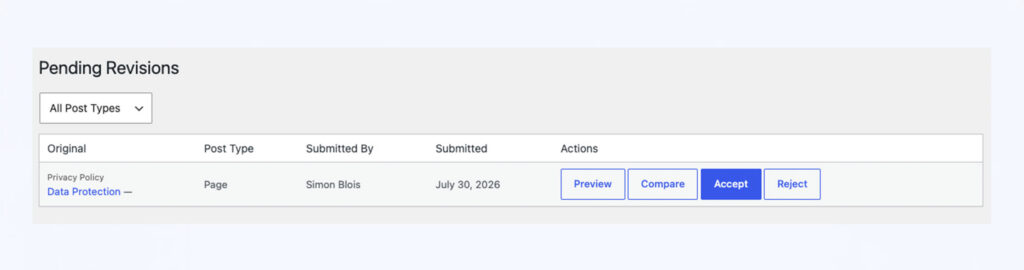
Using the side-by-side comparison
Opening a pending submission shows the current live version of the page next to the proposed change, so you can see exactly what’s different before deciding.
- Open a pending item from the list.
- Review the side-by-side comparison – the current front end of the site is shown alongside the submitted change.
- Check the change makes sense, reads well, and doesn’t break the page layout.
- Click Accept to publish it, or Reject if it needs more work.

Careful: Once you Accept a submission it goes live immediately – there’s no separate confirmation step, so take a moment on the comparison screen before clicking.
Tip: If you’re rejecting something, it’s worth a quick message to the person who submitted it explaining why, since the plugin itself may not always make the reason obvious.
Conversation
Leave a Reply
You must be logged in to post a comment.
Thanks for the feedback. Let us know what was missing and we will improve this page.
Thank you for your feedback.